
A SEPARATE APP. THE SAME PRACTICAL PURPOSE.
HARLEDA Desktop.
Built around
the work of broking.
A focused finance application for your desktop.
Client intake, income tools, budgets and branded invoices.
HARLEDA Desktop is not currently available on phones or tablets.
01 / INSIDE THE APPLICATION
Practical tools.
One desktop workspace.
Developed by a finance broker around the everyday work of gathering details, working through figures and preparing client documents.
Income & expenses
Bring the figures into view.
Review income, everyday expenses and the monthly cashflow picture.
View this screen at full size ↗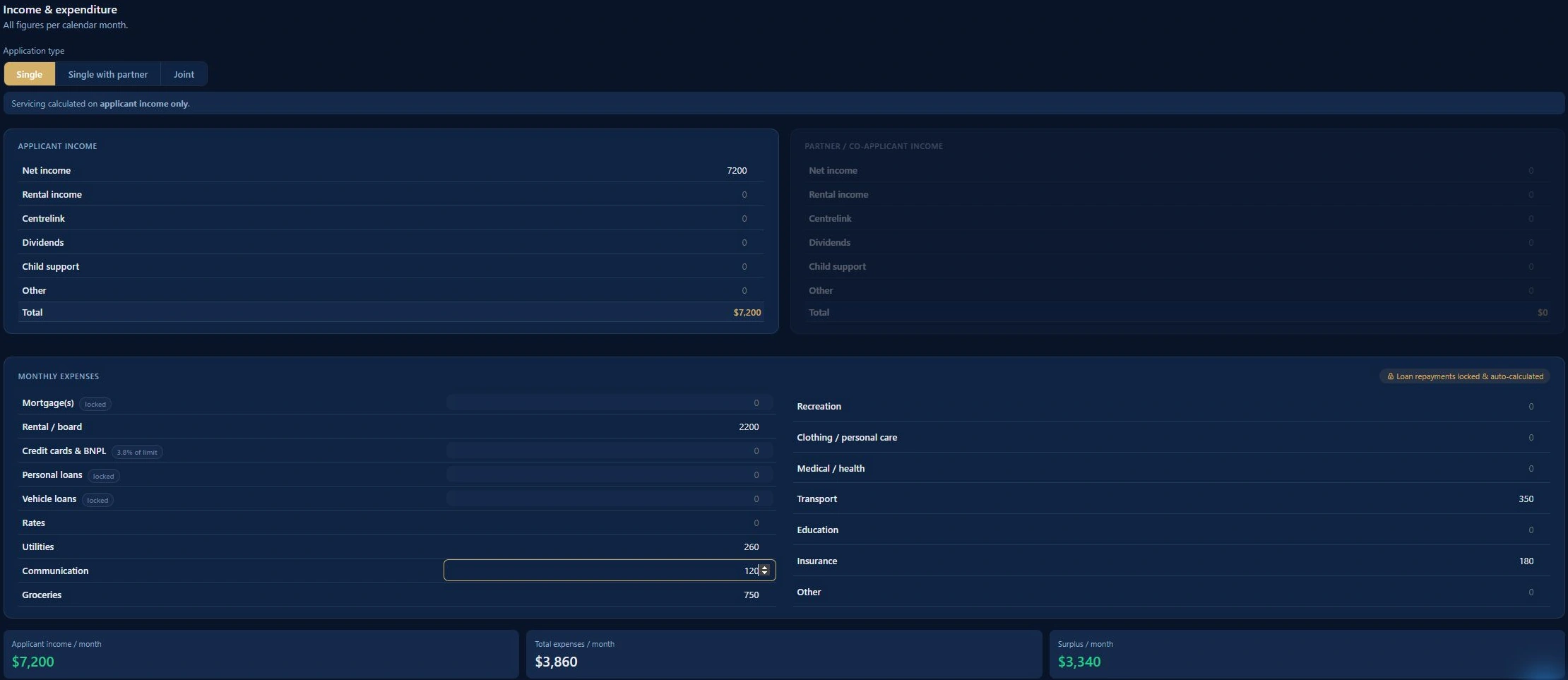
The Windows application is shown here alongside its Excel output. Client Budget is a household cashflow report, not a credit score or lender serviceability assessment.
02 / FROM FIGURES TO A CLEARER PICTURE
A client budget.
Ready for the conversation.
The application’s Client Budget export brings the household figures into a branded Excel report. See monthly income, expenses and surplus, with a breakdown of where the money goes.
Shown: a new fictional marketing demonstration, created through the installed app. No real client data.
Explore it in a walkthrough ↗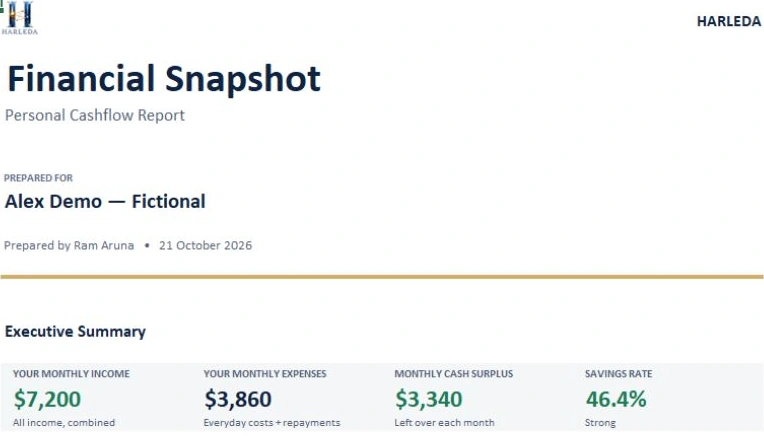
03 / MAKE IT YOUR BROKERAGE’S OWN
Your brokerage.
Your identity.
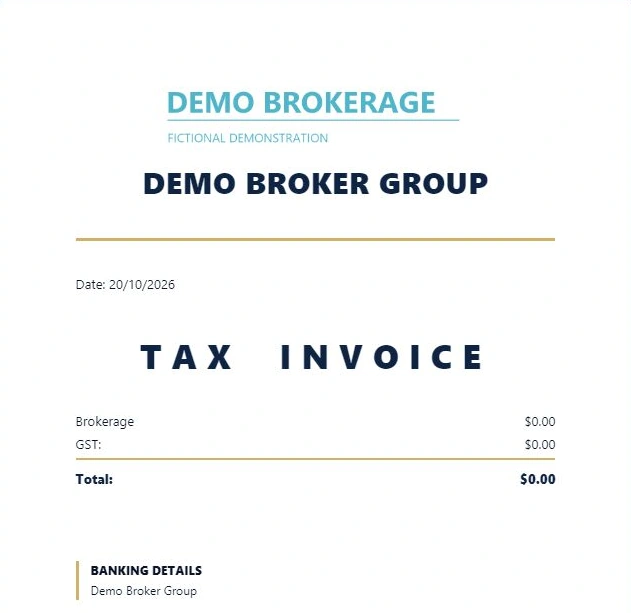
Apply your brokerage’s name, logo and accent colour through Brokerage Branding. Give the desktop workspace your identity, and carry that branding through to the broker invoice preview.
Shown: the fictional Demo Brokerage brand applied through the installed app. The invoice example is a blank demonstration draft.
See brokerage branding in a walkthrough ↗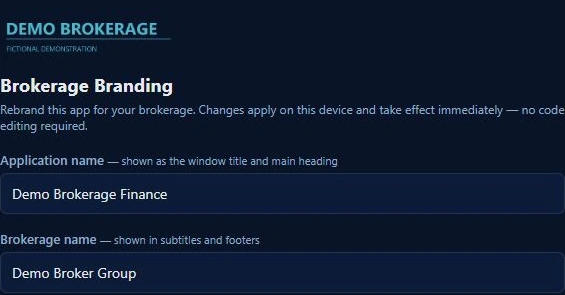
04 / CHOOSE YOUR HARLEDA EXPERIENCE
Desktop and Platform.
Each with its own focus.
HARLEDA Desktop is its own application for Windows and Mac, focused on application intake, income tools, client budgets and invoice generation. HARLEDA Platform brings together the connected broking journey, including CRM, referral partners, messaging, applications, document requests and signing.
BUILT BY A BROKER. SHAPED BY THE WORK.
See HARLEDA Desktop
for yourself.
Choose a time for a Google Meet walkthrough with Ram. Explore Desktop, ask questions and discuss how it could fit your brokerage.
Book a Desktop walkthrough ↗